



























Sigma Photo Pro 5.4.1 (SPP) for OS X Fixes Crash Problem
2012-11-21 • SEND FEEDBACK | 
Related: Apple, Apple macOS, digital sensor, true-color sensor or image
Related: Apple, Apple macOS, digital sensor, true-color sensor or image
About two months ago I reported on the crashing problem with Sigma Photo Pro software 5.3 (and 5.4). It made the software literally unusable on my 6-core and 12-core Mac Pros, and my 4-core laptops crashes regularly. I provided a complete thread dump to Sigma and worked with them on the issue.
Remaining issues
The are many remaining usability issues. Here is just a small sampling:
- SPP 5.4.1 cannot display color properly, which makes it really difficult to gauge any kind of adjustments.
- SPP insists on applying noise reduction settings for each and every image; this cannot be disabled so one has to open it for every image and disable it manually. After 5 images, this gets old. After 100, infuriating.
- Many areas of the user interface remain literally unreadable due to the tiny dark gray type on a darker gray background.
- No quick way to zoom to 100%. No background processing once the button is clicked for actual size; one is forced to wait (for a current image at least there is absolutely no reason the software can’t work in the background on the current image, or maybe even all visible images).
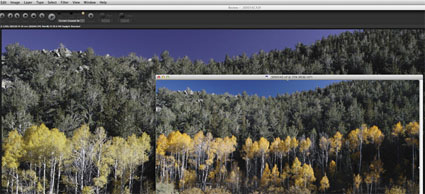
Sigma Photo Pro 5.4.1 cannot display color properly
Sigma DP2 Merrill